

So people! Who want’s to go Copilot crazy on their OWN data? 📊 👀 Well stick around, because in this post, I’ll show you how to enable the in-app Copilot for YOUR model-driven apps built with Power Apps! 🚀
Admin center feature
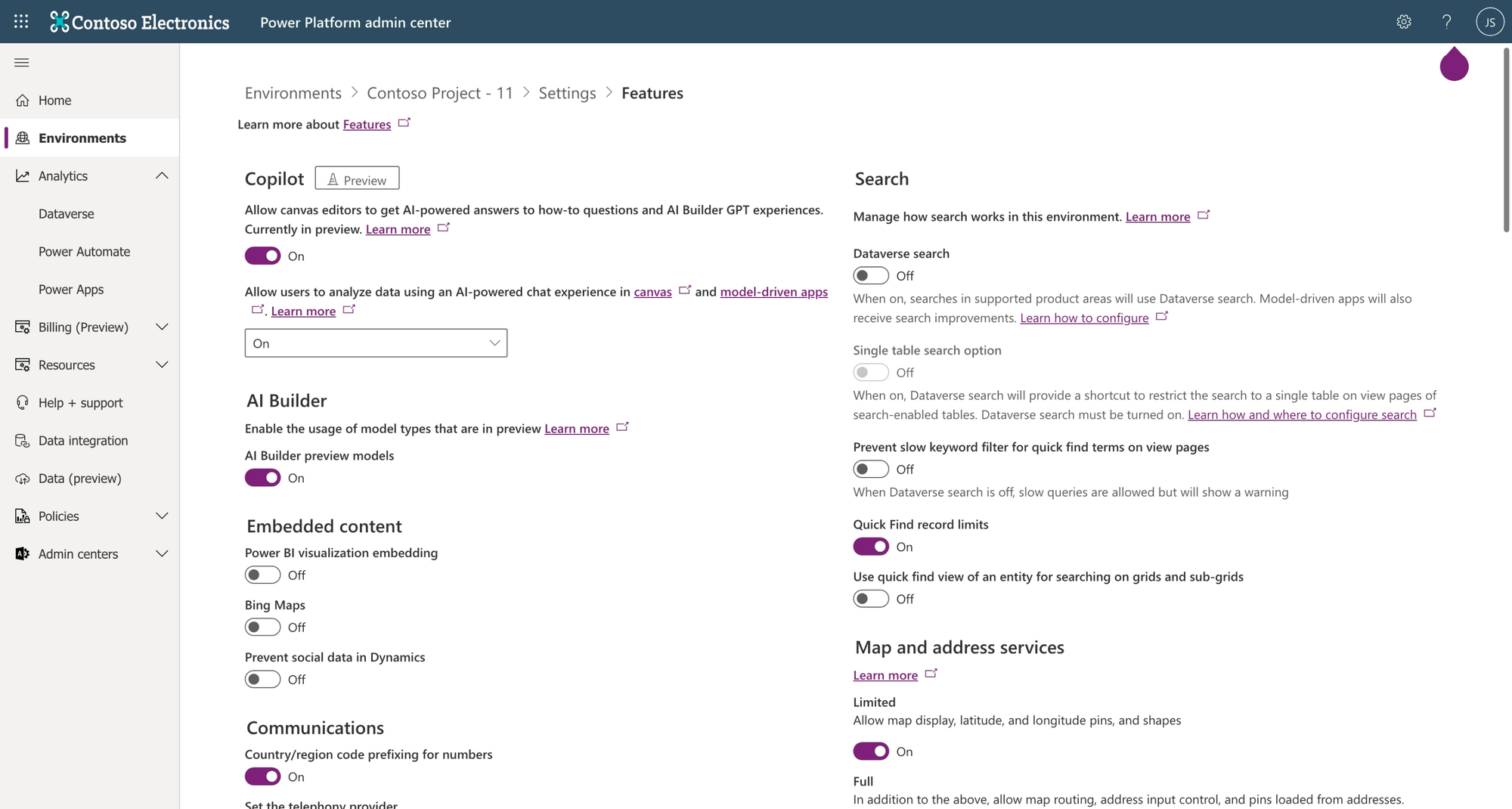
So first we have to enable Copilot in the Power Platform admin center. Head to admin.powerplatform.com and within environments, select the one that you want to enable Copilot for. ✅
Then head to settings, features, and enable Copilot. You’ll also need to enable the option for ‘analyse data using AI-powered chat experience in canvas and model driven apps’.
Enabling the feature in a model-driven app
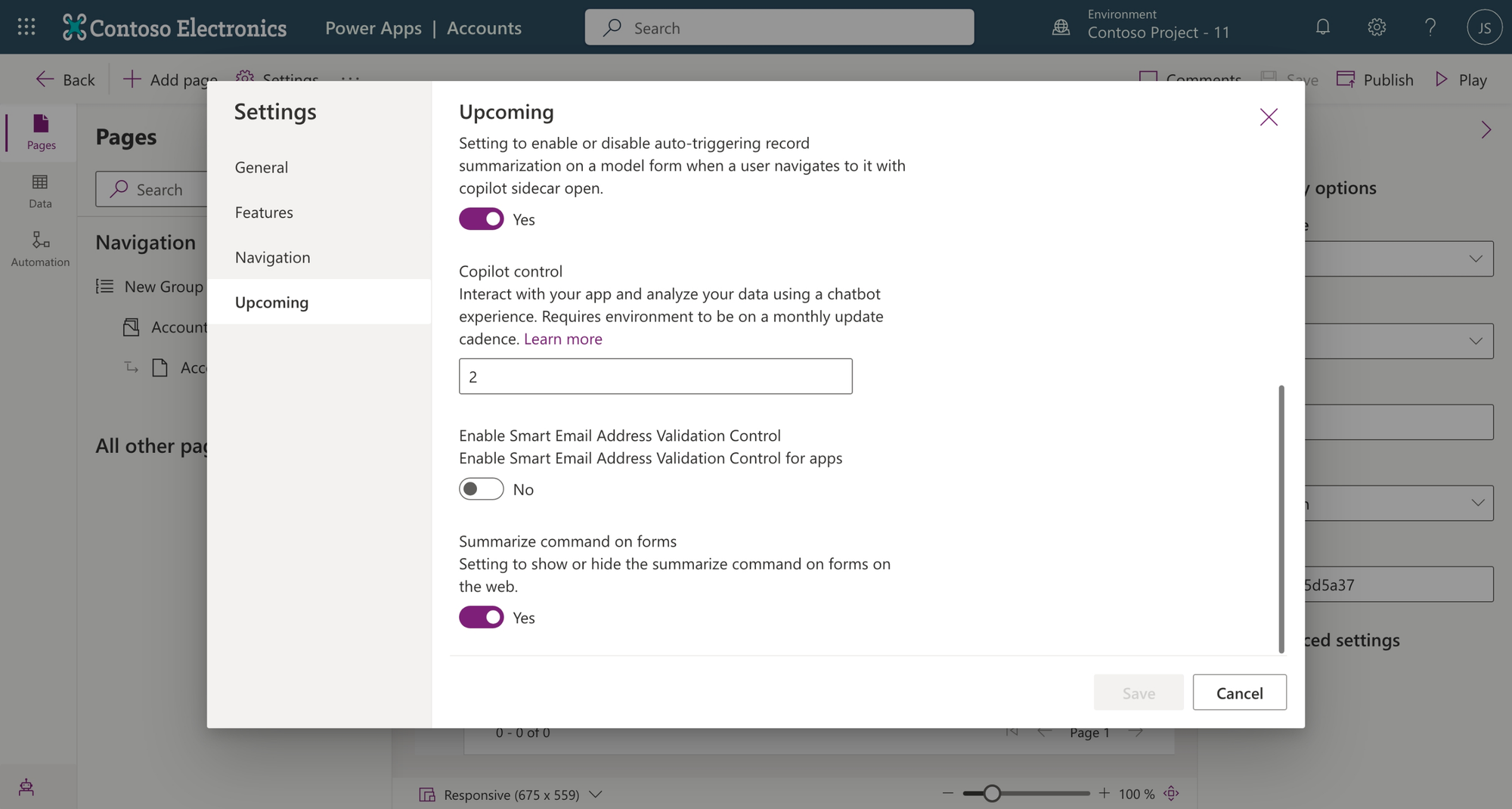
Now head to the edit mode of a model-driven app. Within upcoming features the Copilot control option should be set to 2 for it to be enabled.
Now take a look at your model-driven app in play mode and you should see Copilot appear in a side pane! 😍
Let’s Copilot
So check this out, I’ve got my Accounts table and the only record I’ve created is one for Microsoft Corporation and I haven’t populated any of the other needed detail. So let’s see what Copilot can tell us about the account… probably not a lot at this stage 😉
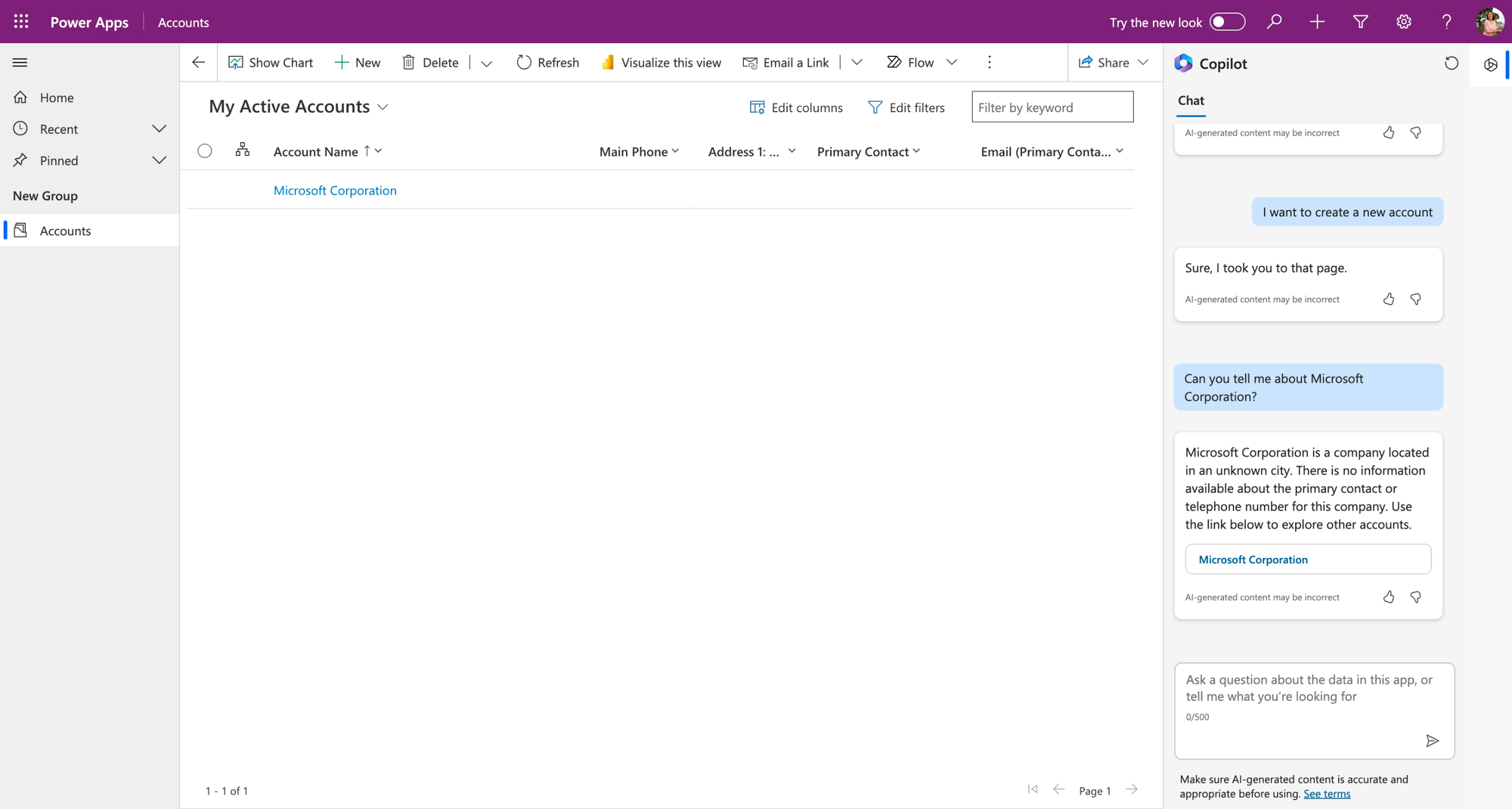
So Copilot told me everything there was to know about the account in Dataverse and even gave me a link to it directly! Pretty helpful! The message here is this will behave based on the quality of your data in Dataverse. So get your data in line, and then get Copilot’ing 😍
Did you like this content? 💖
Did you like this content? Check out some of the other posts on my blog, and if you like those too, be sure to subscribe to get my posts directly in your inbox for free!
Subscribe