

So friends, who’s using Power Platform Pipelines to support their simple CICD deployments when building with low-code on Power Platform? Let me know how you’re using these in the comments of this post, I’d love to know!
In this post, I’d like to share with you some cool capabilities that let us extend Power Platform Pipelines! We’ll specifically focus on how to embed approval processes into Power Platform Pipelines to prevent deployments prior to the appropriate person approving us making that action.
Pre-Deployment Steps
So, when it comes to extending pipelines with something like an approvals workflow, the way we do this is by requiring a pre-deployment step within the deployment stage configuration of our pipeline.
So here I have a deployment pipeline in my tenant which I’ve configured a few stages for.
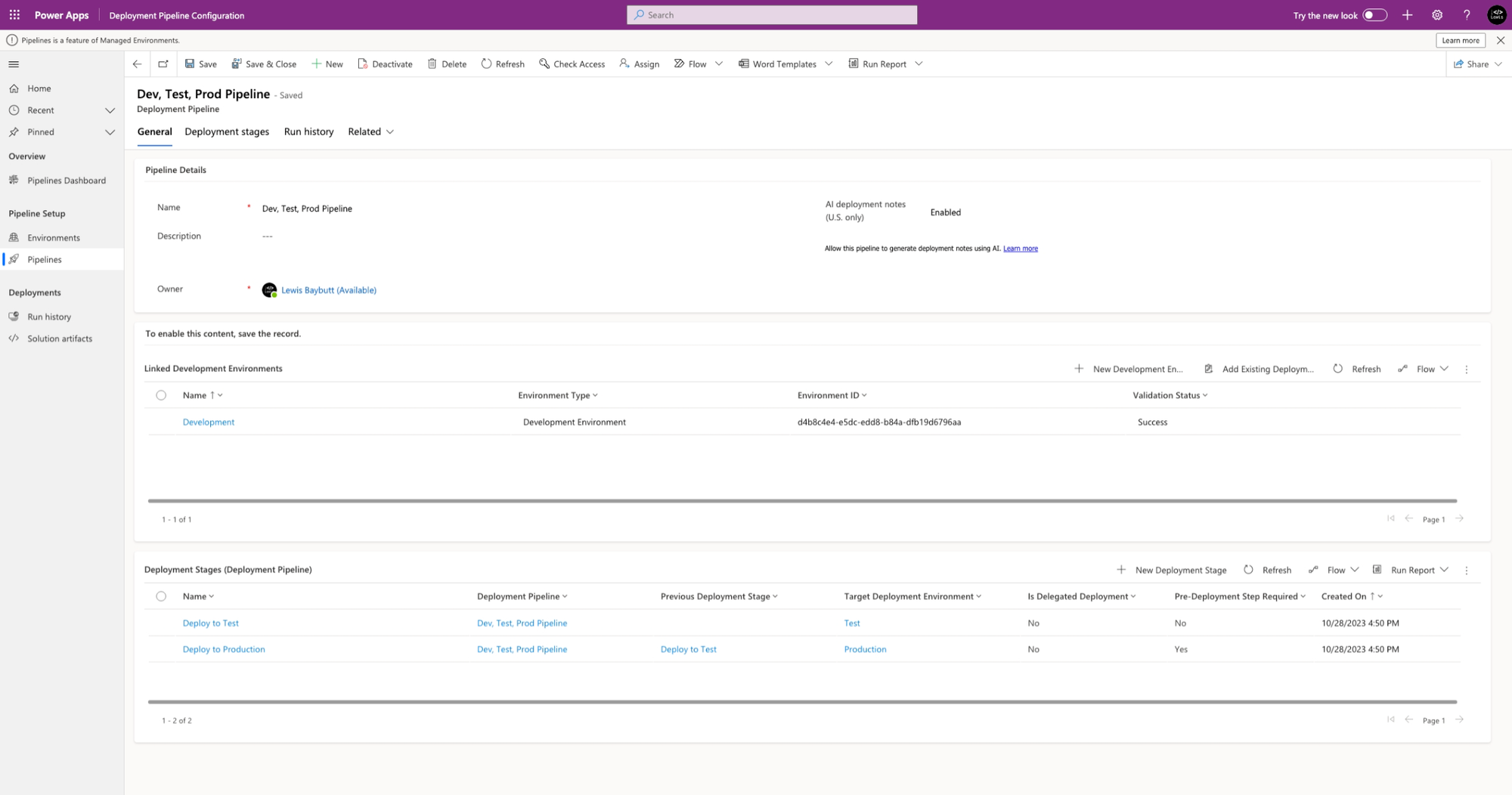
Now let’s jump into my deploy to production stage which you can see has ‘pre-deployment step required’ set to yes.
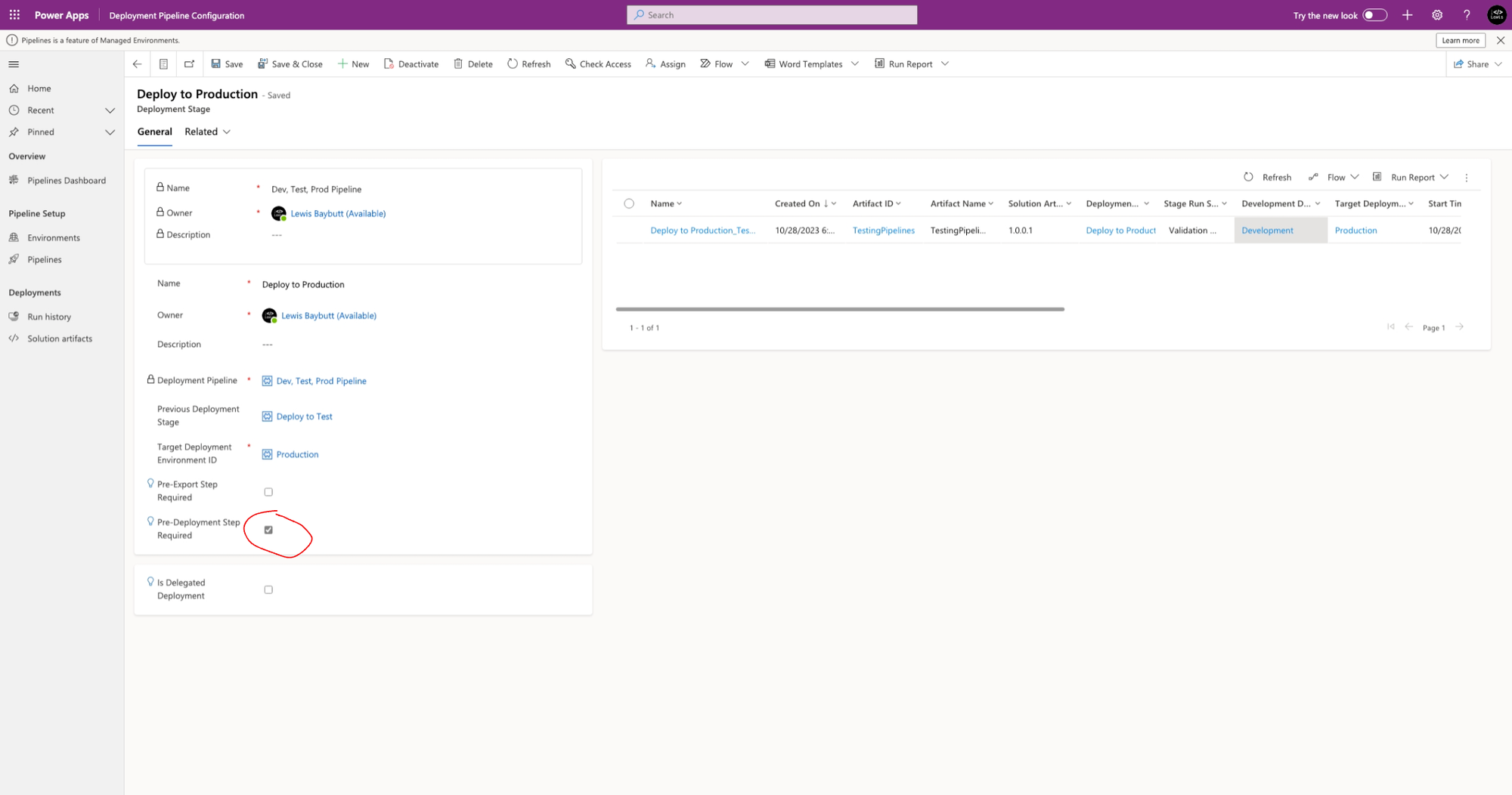
Now when we have this ticked and the pipeline is run for this step a Dataverse action will be performed which we can use to then trigger a flow. We can then add processes to that flow and finish it with another action which will allow the pipeline to continue running, so the deployment can execute.
Pre-deployment flow
Okay, so now let’s take a look at the flow we’d need to implement to put an approvals process in place here. We will build this flow in the host environment where our pipelines configuration solution is installed. Make sure you do this otherwise you won’t have the Dataverse actions needed for the flow.
Now for the trigger of my flow I will use “When an action is performed” from the Microsoft Dataverse connector.
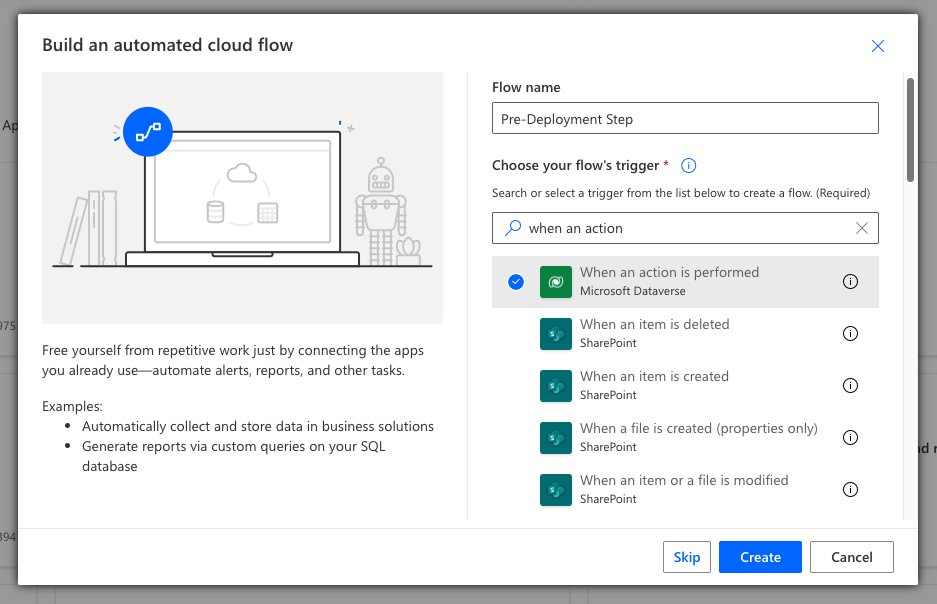
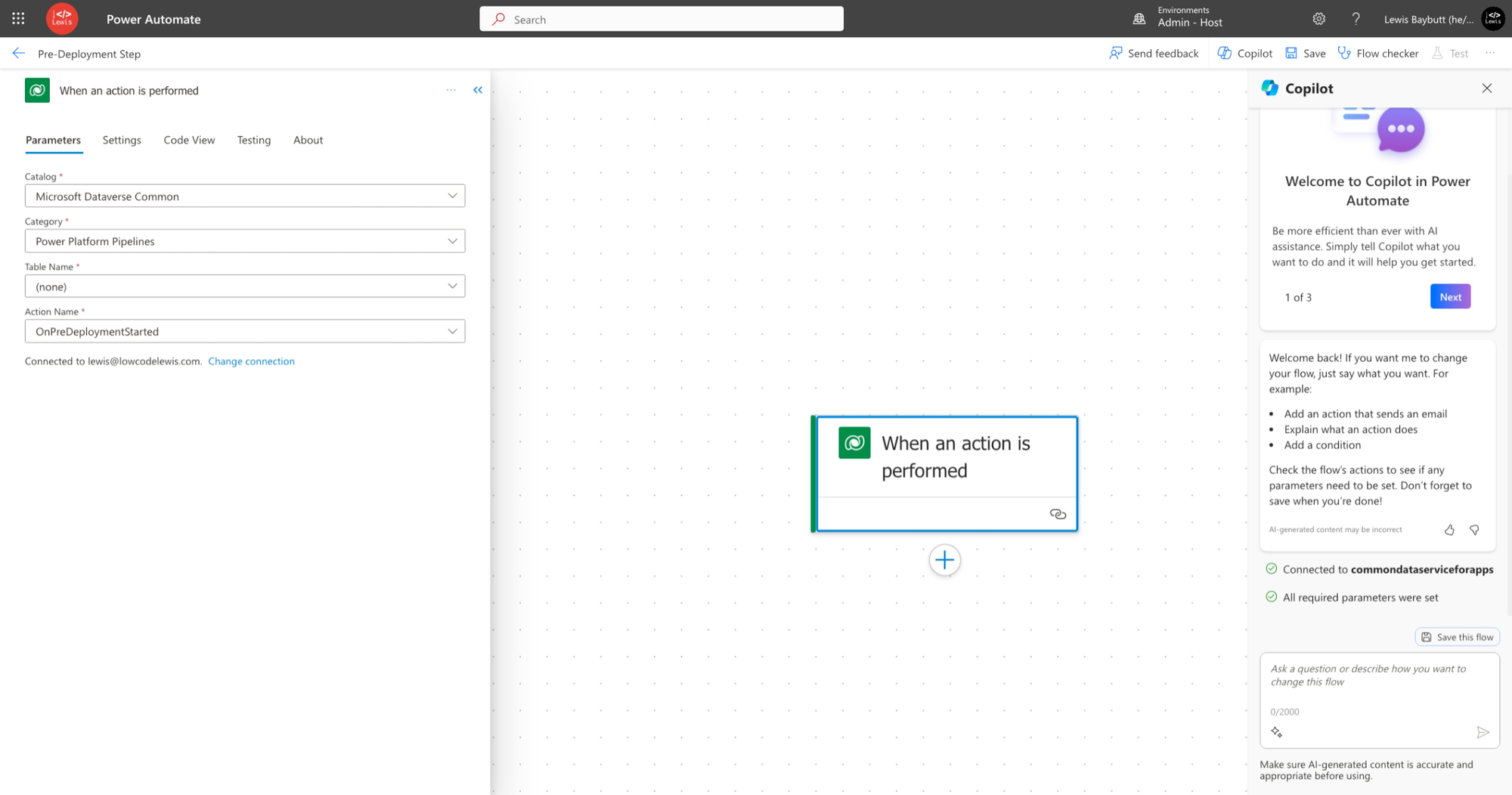
Now populate the parameters of your trigger with the same as mine. We’ll select the following…
Catalog – Microsoft Dataverse Common
Category – Power Platform Pipelines
Table Name – (none)
Action Name – OnPreDeploymentStarted
Now I’ll add some approvals logic to my flow and add a condition which will determine the next steps to take based on the outcome of the approval. If the approval was approved, I’m going to add an action from the Microsoft Dataverse connector which is ‘Perform an unbound action’. Let’s now configure that.
Select the UpdatePreDeploymentStepStatus action and then set the Item/PreDeploymentStepStatus parameter to 20. This will allow the pipeline to deploy and continue running the stage.
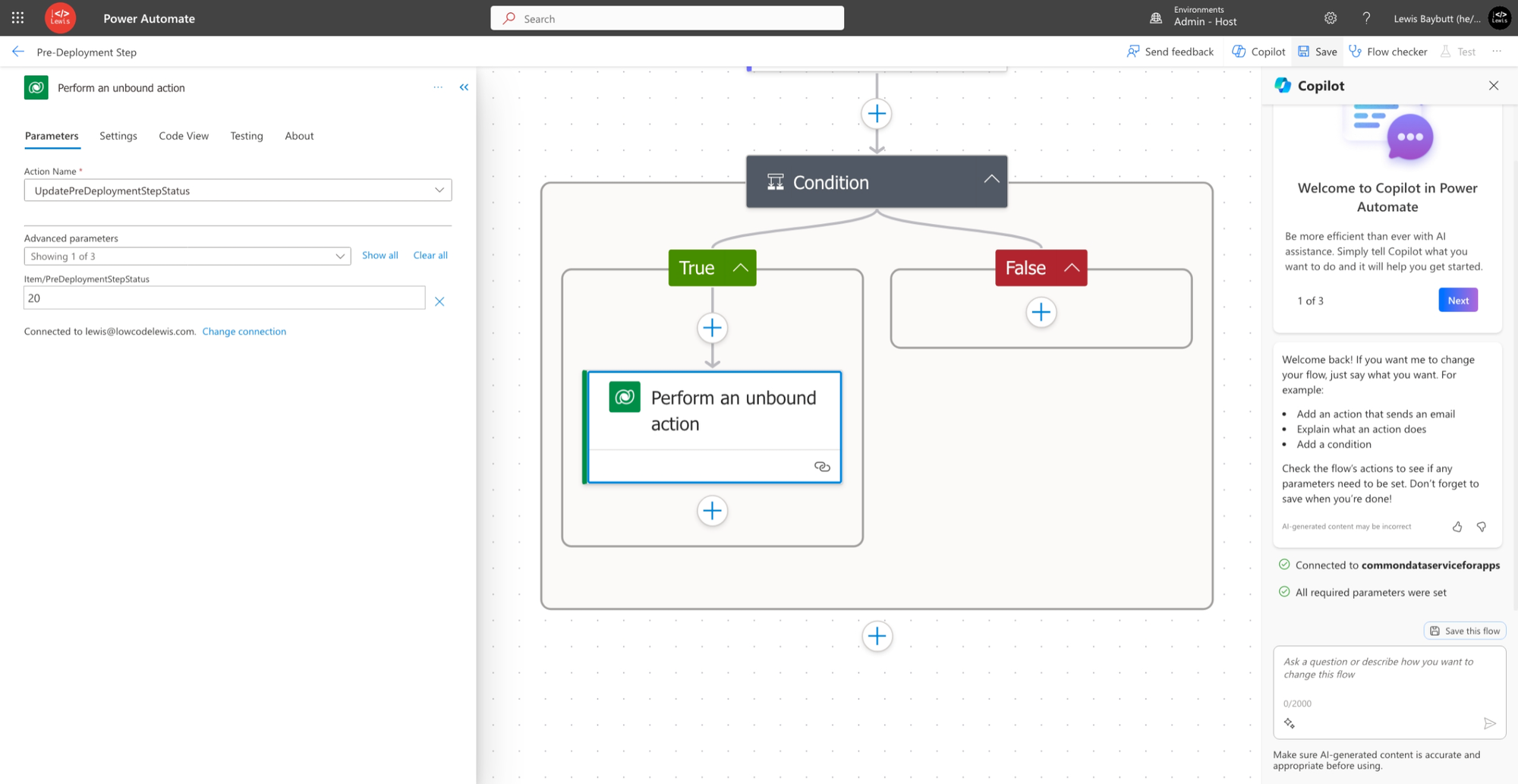
Now let’s work on what happens if the approval is rejected in the false branch of the condition. We’re going to apply the same logic except we’ll populate the Item/PreDeploymentStepStatus parameter with 30 which will cancel the pipeline and prevent the stage deployment from running.
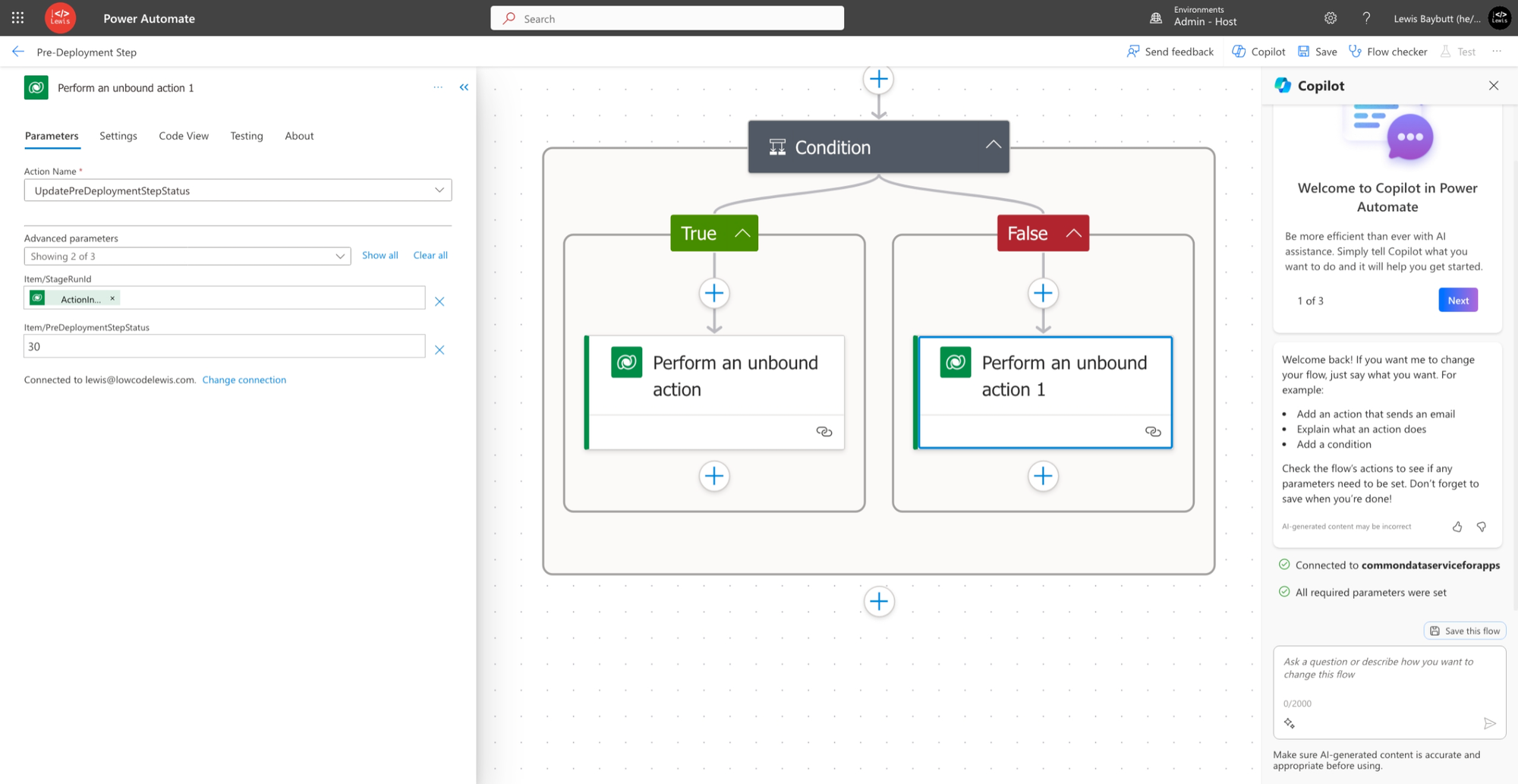
On both the approve and reject logic paths, make sure you set the StageRunId using the dynamic content from the trigger for this. Now save the flow and we’ll test out a deployment!
Testing it out
Okay so now let’s test this thing out! I’m going to head over to my environment where I’ve got my deployment pipeline configured and I’ll deploy a solution to my production environment.
So, when it comes to actually kicking off my deployment, you can see that I’ve got a notification that my deployment may be pending until a background process succeeds which is managed by my admin. Let’s kick off the deployment.
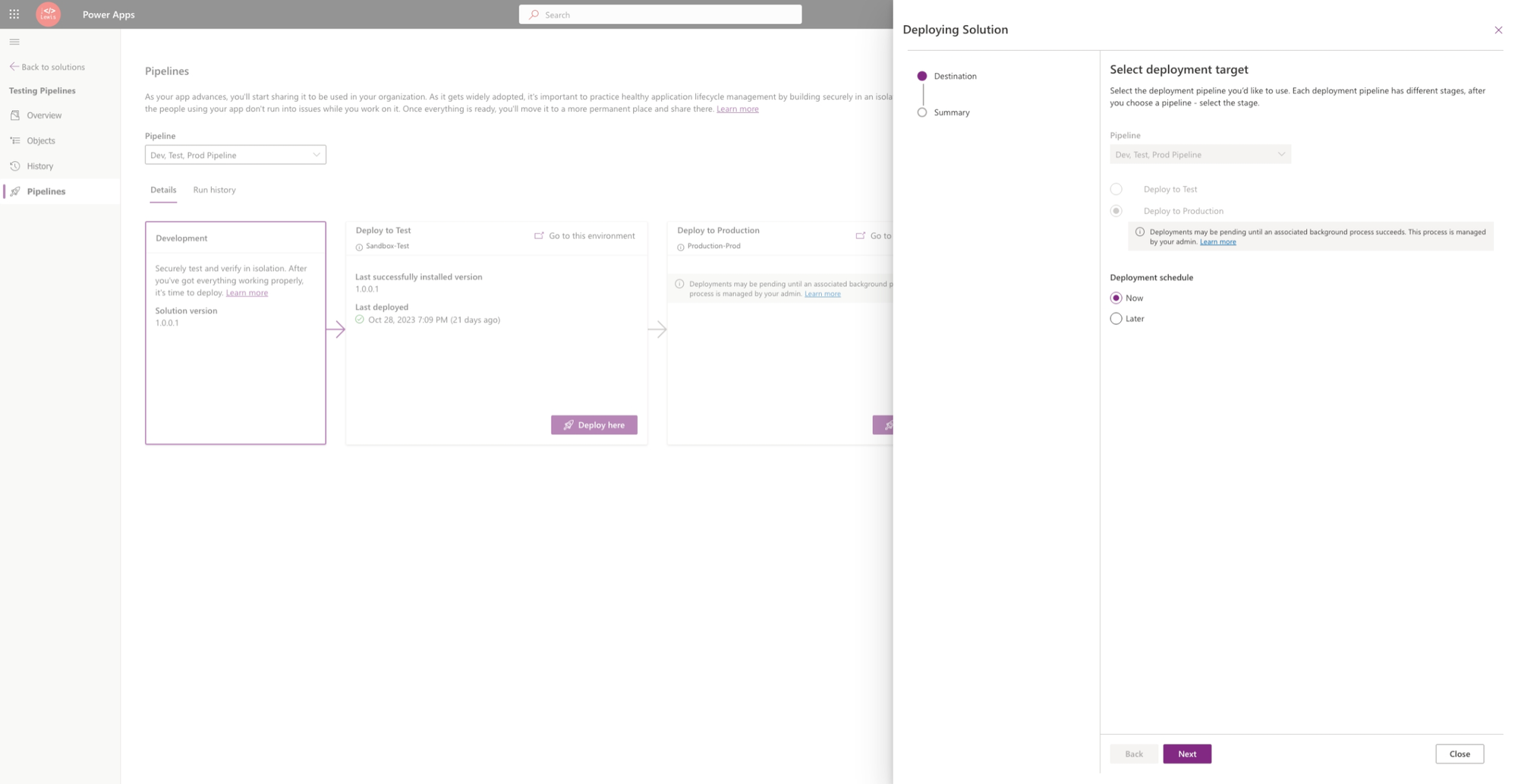
Okay so I’ve kicked it off by selecting next and then deploy. Now check out the warning that my request is pending.
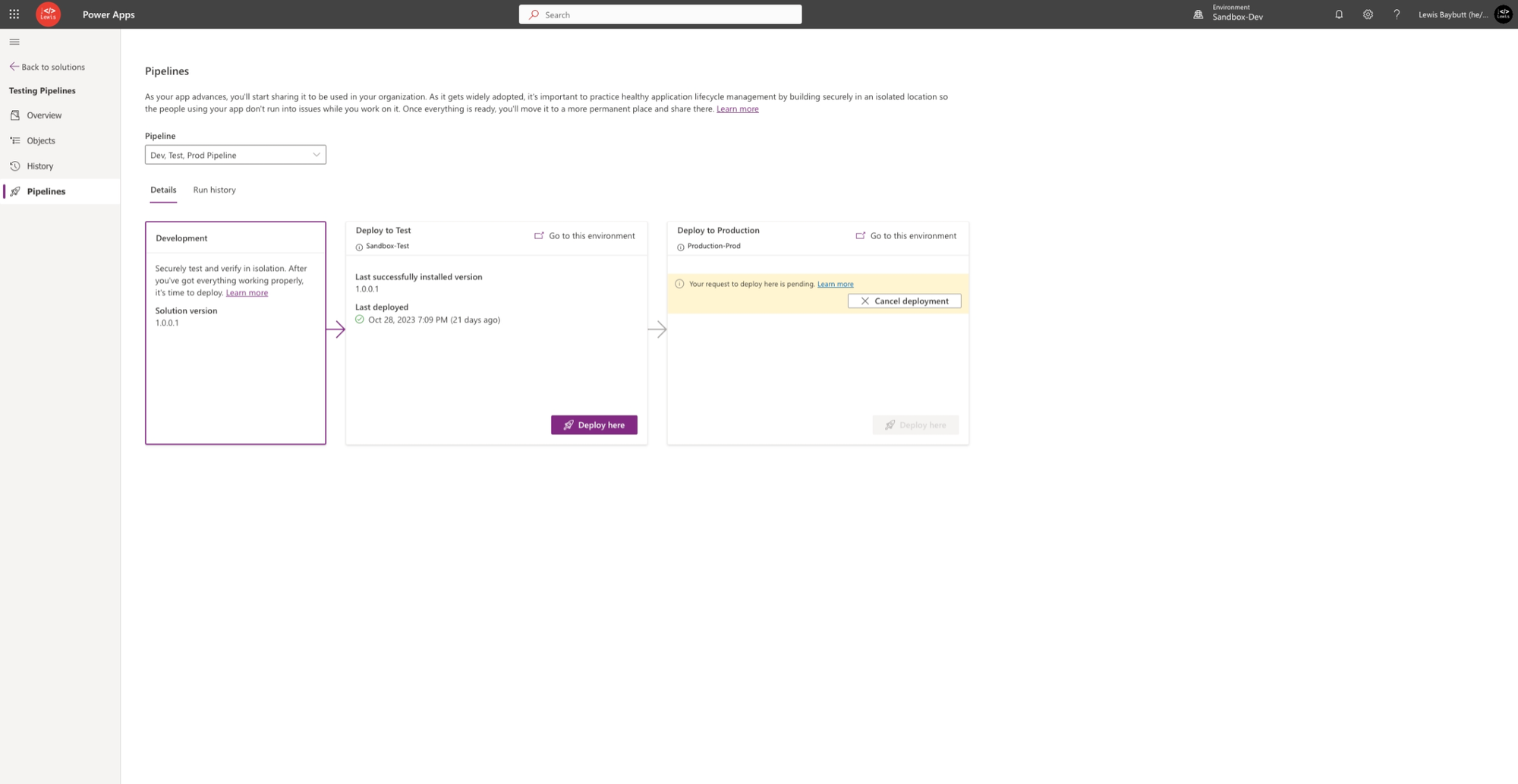
In the background my admin just got an approvals notification which they can approve or decline.
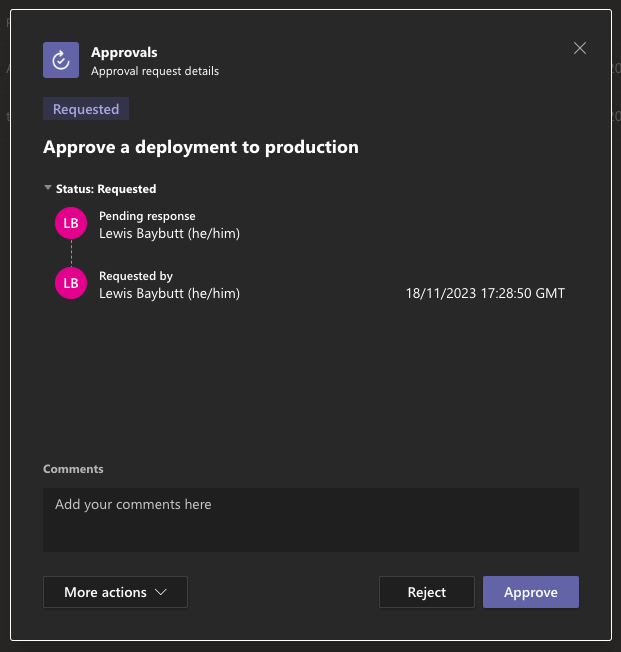
I could even improve my flow to add my comments provided in the approval to the comments parameter in my action to allow my pipeline to proceed or to cancel it so the developer gets some response. For now I’ll just approve the deployment.
And just like that my deployment is now running!
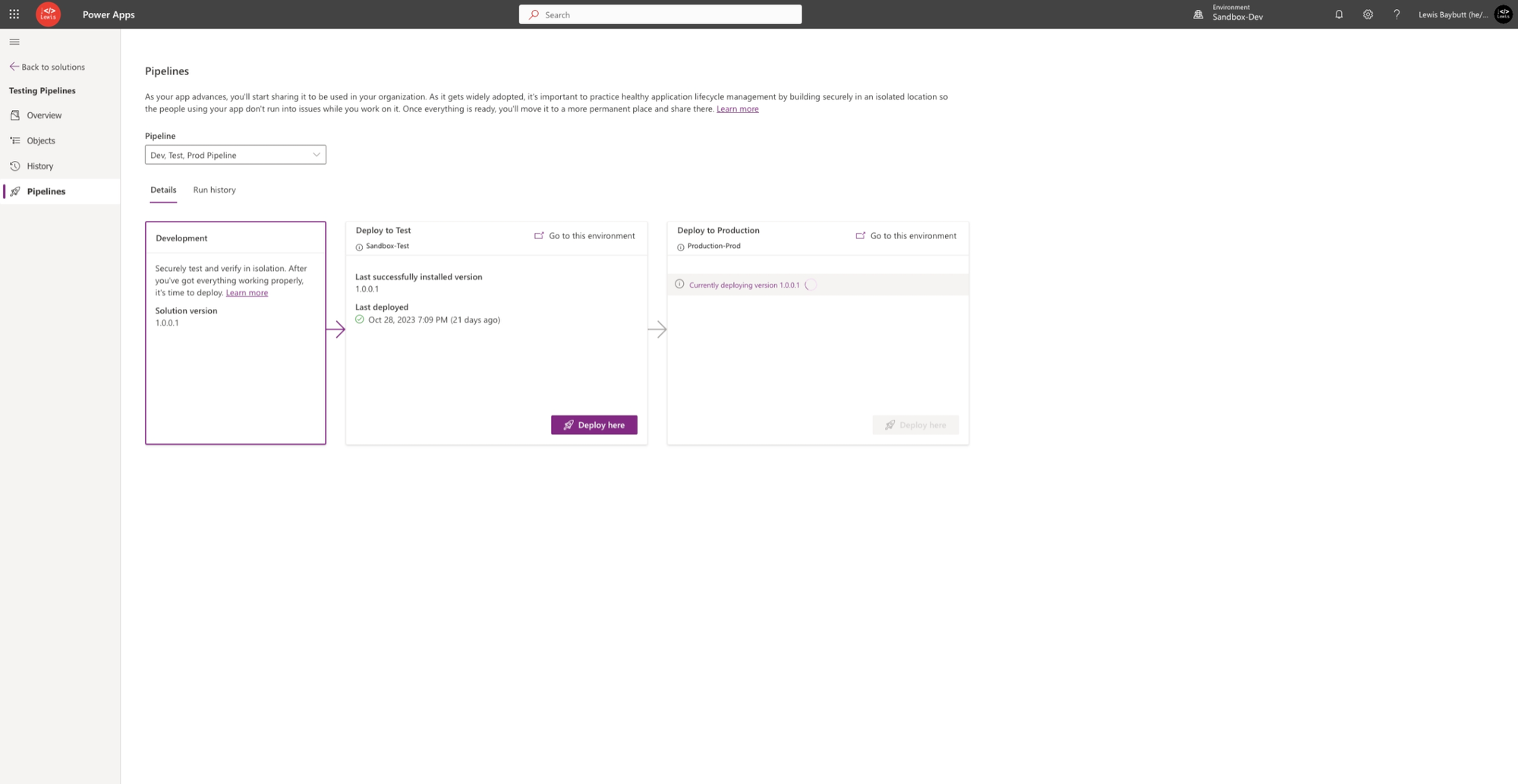
And just to take a look at what happened in the background, you can see my pre-deployment step flow ran successfully and my PreDeploymentStepStatus was updated to 20 allowing the deployment to continue.
Did you like this content? 💖
Did you like this content? Check out some of the other posts on my blog, and if you like those too, be sure to subscribe to get my posts directly in your inbox for free!
Subscribe