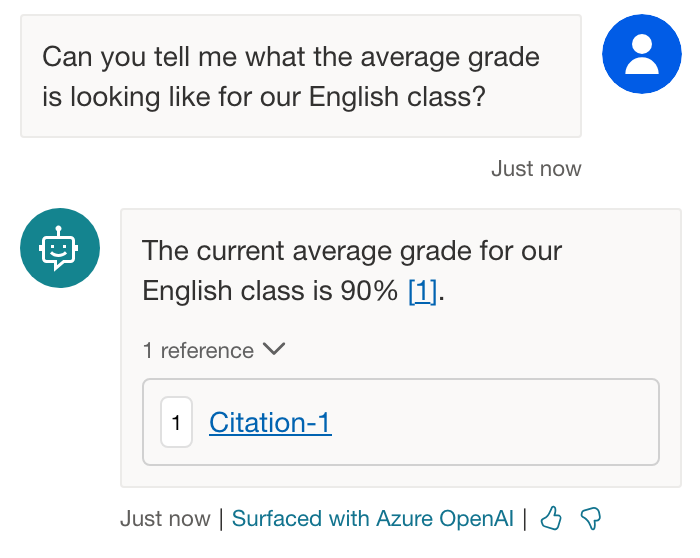

Want to know how to extend Microsoft Copilot and build your own Copilots with the data in your Excel spreadsheets? Well stick around friends because in this super quick and simple post, I’ll show you how to take those rows and rows of cell based data and have your Copilot take all of that into account when having a conversation with you!
What is Copilot Studio?
So for some background… Copilot Studio is a new product from Microsoft that allows you to customize Copilot for Microsoft 365 and build your own standalone copilots using natural language or a graphical interface. Copilots are intelligent assistants that can help you with various tasks, such as writing code, creating content, or answering questions.
Uploading an Excel Spreadsheet
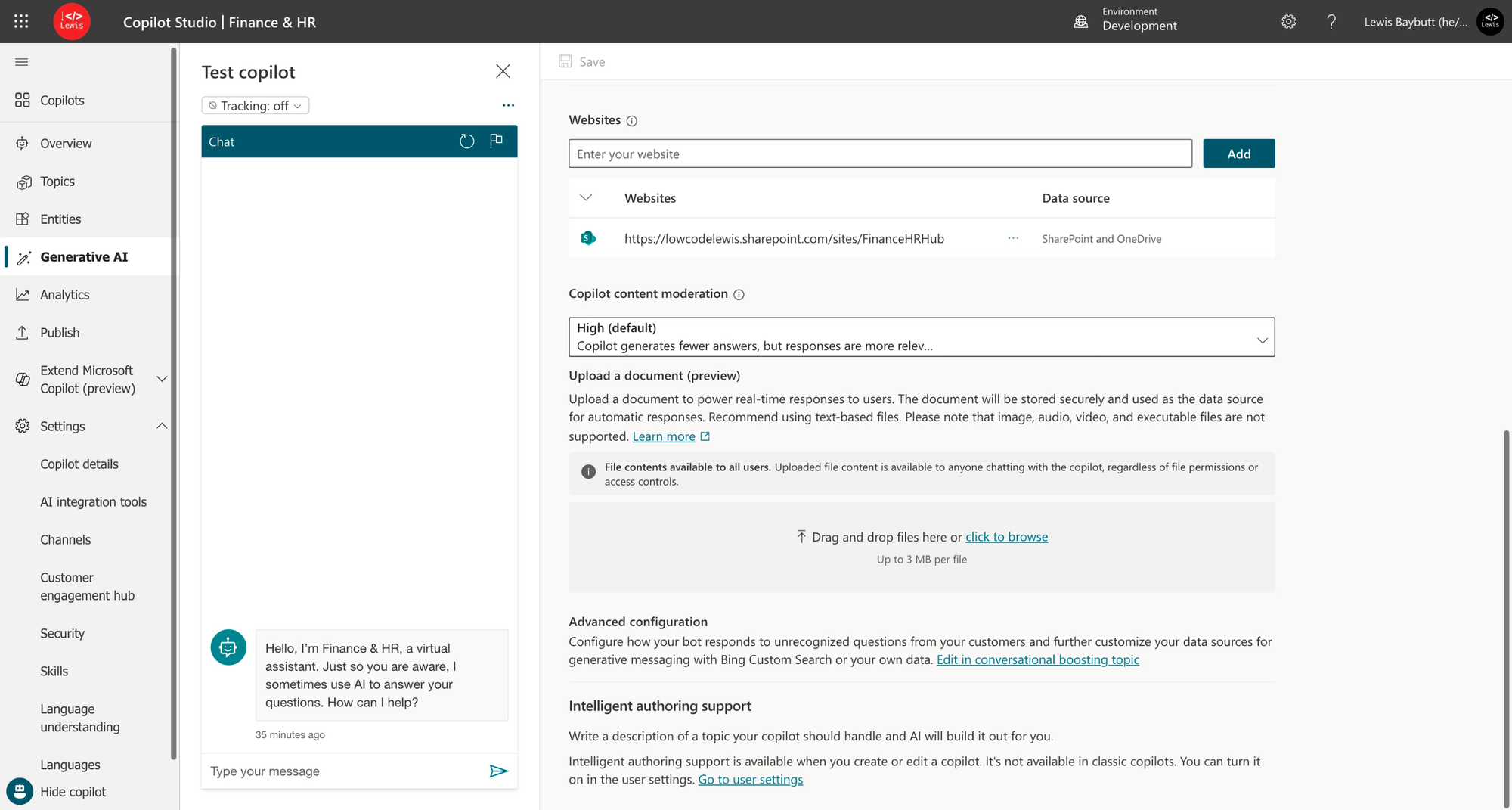
Okay so now let’s take a look at what I can do in Copilot Studio to have my copilot answer questions about my Excel data. On the generative AI tab I have an area where I can upload documents.
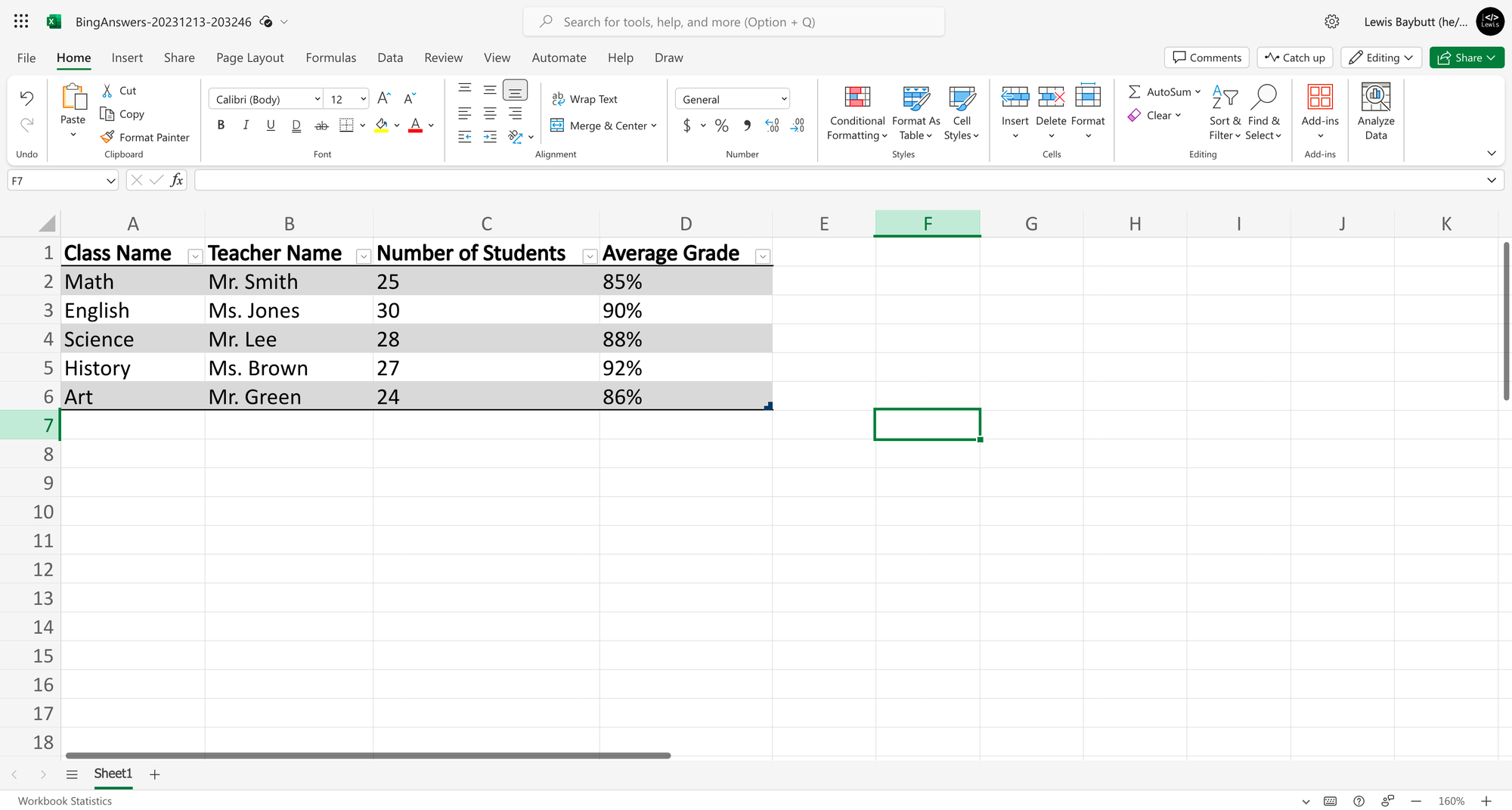
So I’m simply going to upload this Excel file of data for classes in my school and their average grades.
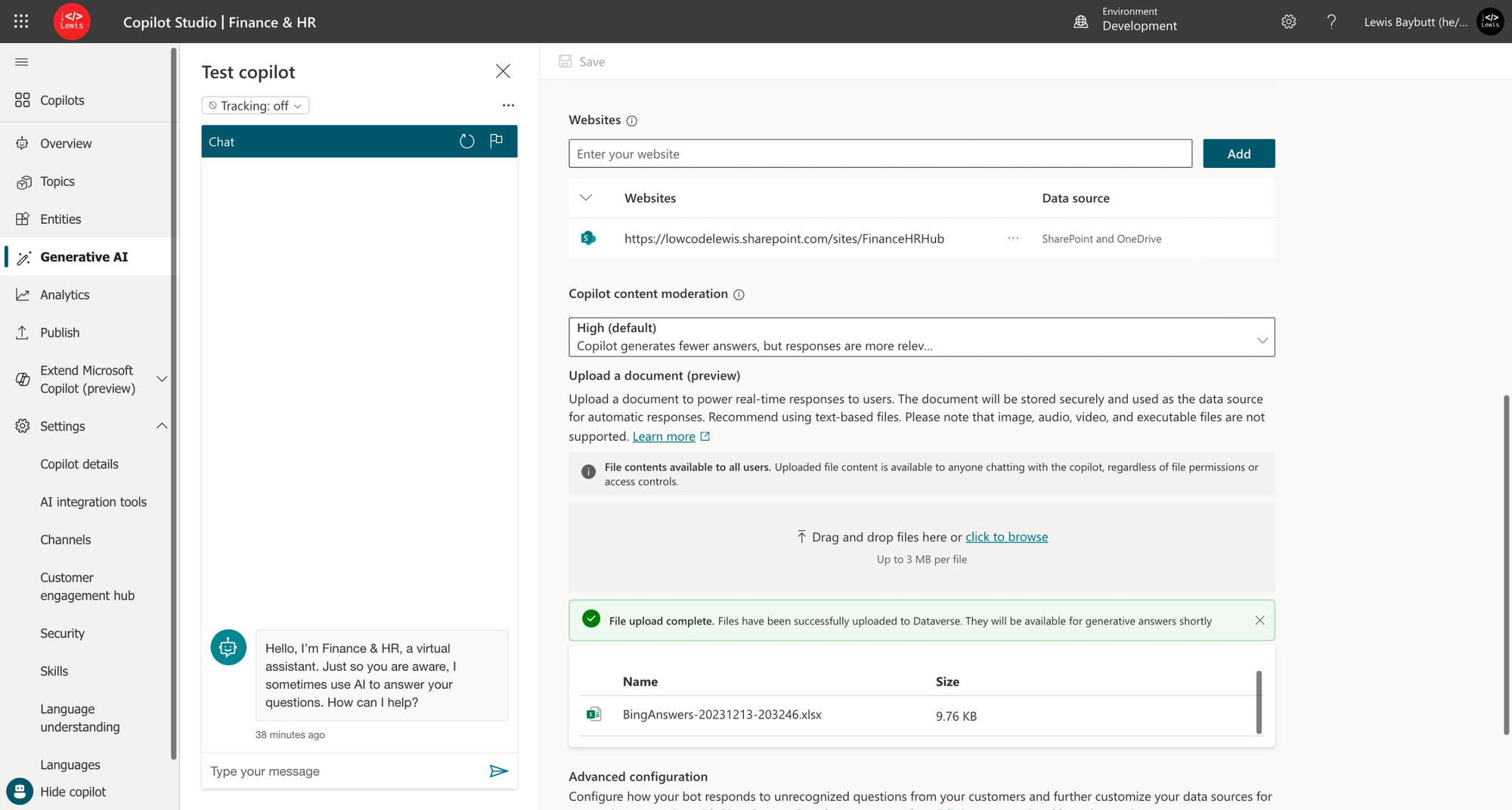
Now check it out, I’ve got my Excel file uploaded.
Testing it out!
Now check this out… I can ask the copilot questions about my Excel data that I’ve uploaded! 🚀